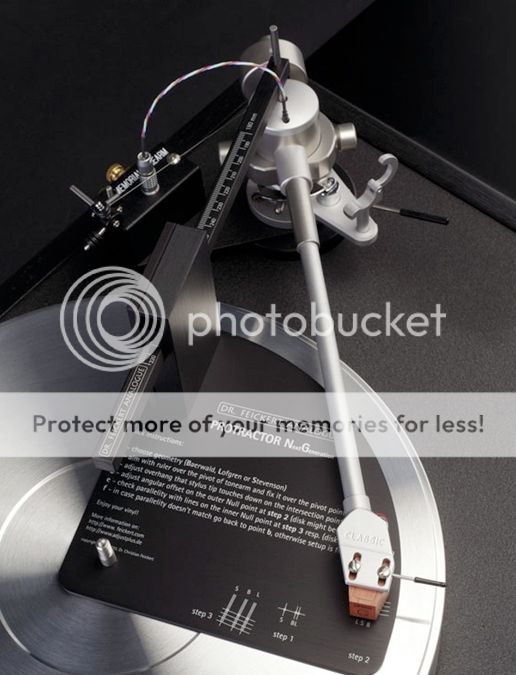
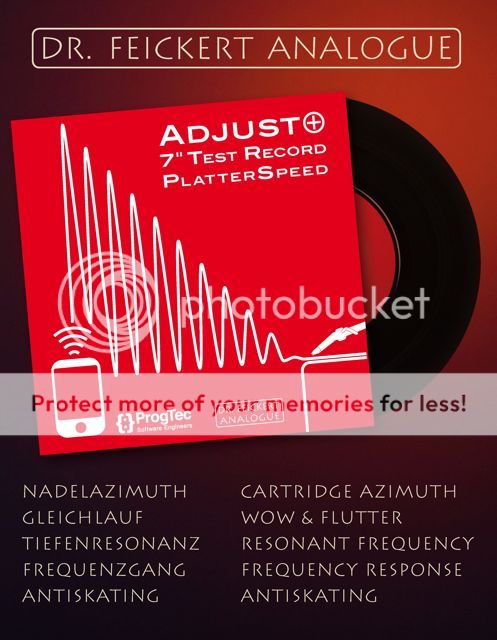
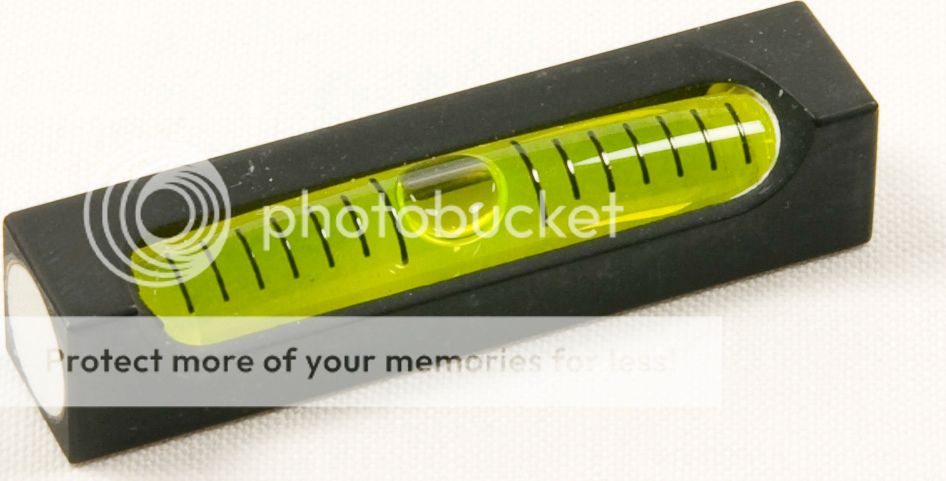
ชื่อของ DR.FEICKERT ANALOGUE เป็นที่ยอมรับกันทั่วโลกครับ...... Adjust+ Pro Version 1 set ( spirit level , LP Test Record , CD-ROM Software,cable )ราคา 17,000 บาท ..... PROTRACTOR NG ราคาพิเศษเพียง 7,500 บาท....... 7 inches Test Record เพียง 600 บาท/แผ่น....

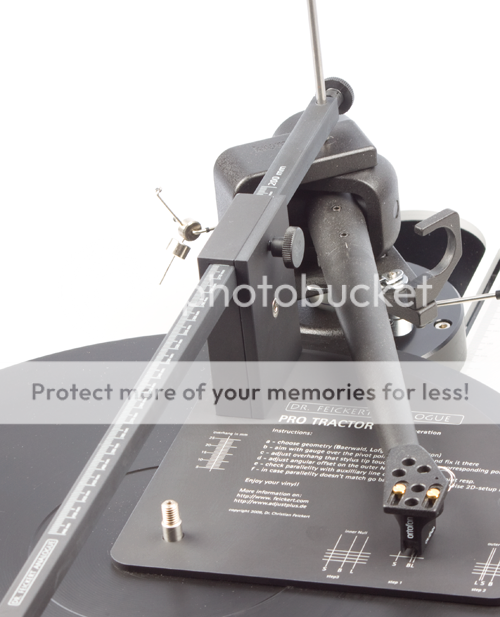
Dr. Feickert's Cartridge Alignment Tool is Essential for Any Analog Lover!
The Feickert Alignment Tool Can Be Used With Any Cartridge on Any Tonearm!
The Feickert Next Generation Cartridge Alignment Tool is an invaluable tool for aligning the cartridge's path across the record. Proper alignment pays huge dividends in improved tracking, consistent tonal balance across the entire record, ultra-low distortion and increased cartridge longevity. If your cartridge is not properly aligned, you are not hearing the full potential of your entire analog system.
This next generation protractor is an improved version of our favorite alignment tool. Now, the Feickert offers Lofgren and Baerwald curves and in this new version, the Stevenson curve as well. Now with even more choices to reduce the distortion caused by a less-than-ideal tangential cartridge tracking. The Feickert Protractor is the best solution for accurately aligning your cartridge with a broad variety of tonearms. Accurate, compact, and in this Next Generation, more versatile and even easier to use.
"Feickert's kit is impressive, especially if you want something more than a cardboard or plastic template. Most impressive is the metal jig for measuring the pivot-to-spindle distances nicely made, if industrial. It looks more complicated than it is; a thorough reading of the instructions will have you setting up cartridges in minutes
trust me: it will provide peace of mind for even the most truly neurotic of vinyl users."
Ken Kessler, Hi-Fi News, August 2006
The Feickert Cartridge Alignment Tool allows correct adjustment of overhang and offset for virtually any cartridge on virtually any tonearm. Enormously flexible, the Feickert Cartridge Alignment Tool may be used on tonearms with an effective length between 8.6" and 17.7".
"I consider this a must-own tool for anyone who cares about proper tonearm setup and cartridge geometry. This beautifully manufactured precision device, even includes a strobe pattern
It's easy to use and as far as I'm concerned, simply the best. An essential tool for your vinyl toolbox and with proper care, will last a lifetime. Highly recommended."
- Richard S. Foster, Hi-Fi+, Issue 48
"Enthusiasts with even moderately priced analog setups will find this protractor to be indispensable
No more guessing over crude paper or plastic overhang markers or mirrored devices; this thing works

a charm!"
Wayne Garcia, The Absolute Sound, June/July 2007 (Must-Have Analog Accessories)
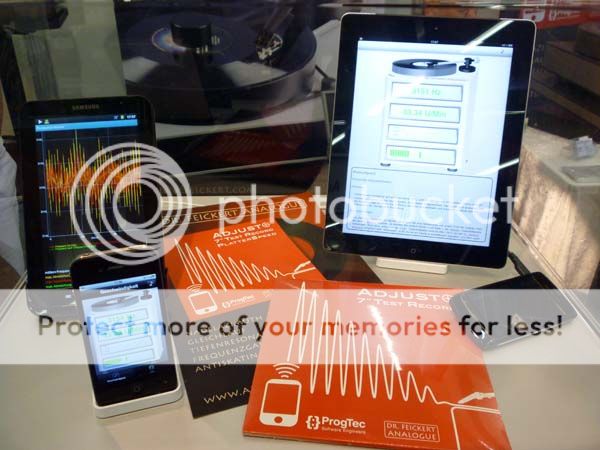
Dr. Feickert Analogue has made their software 'Platter Speed', which is originally part of their Azimuth Adjustment software 'Adjust+', available as a free App for Android and iOS phones and Tablet Computers. You can download this App at the Android Market and the Apple Store. Just search for 'Platter Speed'. This software is presently the best methode to adjust your turntable's platter speed and measure Wow and Flutter. It is more accurate than using the Stroposcope Light Methode. All what is needed is the software on your phone or pad and a test record with a 3150 Hz test signal. Dr. Feickert has made available such a record .
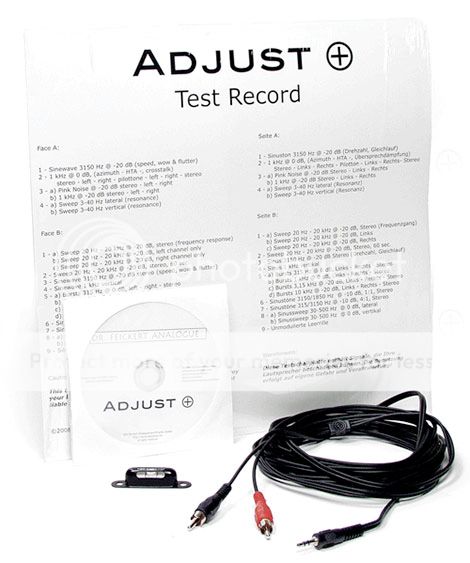
Features available on this record are:
Face A:
3.15 kHz test tone - speed adjustment / wow&flutter
1 kHz test tone out of phase
Face B:
315 Hz test tone +10 up to +16 dB - antiskating
endless loop - silent groove
1 kHz stereo - left only - right only - crosstalk/azimuth
3-15 Hz in 1 Hz steps - visual control of resonant frequency
***************************************************************************
USER REVIEW DR.FEICKERT ANALOGUE " Adjust+ HOME" Software
Dr Feickert Adjust+
I was in "two minds" whether I should post this in the LP12 forum or in the general forum. Given I do not have an LP12 and have never tried to set one up I do not know how useful the Adjust+ "tool" will be to LP12 users. As a consequence I thought it best to post in the general forum. Given the main parameter that is set-up is cartridge azimuth I am assuming it is equally applicable to LP12 turntables.
As I have learned alot from other people's posts I thought I would share my thoughts on the Dr. Feickert Adjust + software. I hope my experience will prove useful to someone.
I have a Clearaudio turntable with a Clearaudio Unify unipivot tonearm. The Unify tonearm performs well but I personally find it a pain to set-up.
For a number of years I have used Dr. Feickerts protractor and have been very impressed with it. Because of this I was willing to pay the 249 Euros for the Adjust+ software/test record - particularly as I was becoming very frustrated with the Unify arm (i.e. it got very close to being thrown out of the window).
The main reason for buying Adjust+ was to set-up the azimuth of the cartridge. However, as detailed below I have also found it very useful for tweaking the speed of my turntable. It also allows the resonance of the tonearm/cartridge combination to be determined which I found interesting.
Ahead of using the Adjust+ software I set-up the tonearm VTA and the cartridge tracking force. The overhang and offset of the cartridge were set-up using the Dr. Feickert protractor.
I have the Adjust+ software loaded on a Dell Netbook and use a USB Sound Blaster X-Fi sound card to connect my phono pre-amp to the Dell Netbook (i.e. the leads from the cartridge/tonearm plug into the phono amp as normal but the phono amp then connects into the Sound Blaster X-Fi sound card rather than the Linn pre-amp). An Adjust+ USB license dongle has to be inserted into the laptop before the Adjust+ software can be used.
The Adjust+ software is provided with a small spirit level I upgraded to the enhanced version. This is used to set the cartridge at various azimuth settings. In the case of the Clearaudio Unify tonearm an allen screw on the bottom of the arm wand is used to loosen the headshell so it can be twisted anti-clockwise or clockwise. The Adjust+ user manual, which can be downloaded from the Dr Feickert Web site, provides detailed information on how to take measurements.
The cartridge is set at various azimuth settings ranging from - 2° to +2°. A test record is provided with Adjust+ and track two on side A is played. At the end of the track you just need to indicate to the Adjust+ software what Azimuth setting was used (i.e. 2° for instance). The track is played each time a different azimuth setting is used. After this process has been repeated for all the azimuth settings graphs are produced that allow the phase and cross talk for the left and right hand channels to be seen. From these graphs it is possible to see what azimuth setting should be used (i.e. the intercept points on the graphs). Dr Feickert states that the phase and cross talk are both important and explains how to interpret the graph plots. In fact it is stated that using a multimeter alone can lead to errors as this does not take account of the phase.
It is very important to have a reference point when undertaking the azimuth measurements to ensure that you know what relative azimuth setting is being used. In the case of the Unify tonearm I first of all put the small spirit level on the back of the arm (i.e. above where it pivots) to ensure it was level. I then placed the spirit level on the headshell and adjusted the azimuth to the required value. I repeated this process for all the measurements I made. It took me around half an hour to complete the azimuth measurements.
I found the graphs fairly easy to interpret the notes in the user manual explain what to look for when examining the graphs. In the end I was able to achieve channel separation and channel balance figures which were per the cartridge technical data. In the case of the Unify unipivot tonearm I do not think I would have managed this without the Adjust+ software.
I also used the Adjust+ software to tweak the speed of my turntable motor although I had previously used a strobe the Adjust+ software did seem to allow me to achieve greater accuracy. However, I have no other way of measuring the speed to confirm that this is really the case. The speed was not out by much and after adjustment the strobe still showed the speed as being correct.
The Adjust+ software also allows the resonant frequency of the tonearm/cartridge combination to be measured. Test tracks are played and at the end of the test the Adjust+ software provides the resonance figure.
Ahead of buying my cartridge I had used a simple calculation to calculate the resonance:
Resonant Frequency = 1000/[6.28*√(M*C)]. Where M is the mass of the arm and cartridge and C is the compliance of the cartridge
This simple calculation indicated that the resonant frequency should be 11 Hz.
The Adjust+ software indicated that the resonance was actually 12 Hz. Although I would have preferred it to be a little lower I was reasonably happy. The various posts I have read indicate that the resonance should ideally lie between 9 and11 Hz - although a lot of people seem to indicate that a value between 8 Hz and 12 Hz should be okay.
All in all I have been very impressed with the Adjust+ software. Without it I would have had to replace the Unify tonearm as it was proving so troublesome. I feel the software has allowed me to maximise the investment in my turntable, tonearm and cartridge. Although Adjust+ is by no means cheap I no longer have that niggling feeling that the tonearm/cartridge is not set-up correctly. Furthermore, it has saved my sanity the frustration level was very high until I got the software.
Cheers,
Paul.